View this email in your browser. Warning: Flashing Imagery
Welcome to the latest Python on Microcontrollers newsletter! “Pass the sunscreen” I ask, as I contemplate going out to sunny Lake Michigan. I did find a great selection of Python news for folks before grabbing the picnic basket. People don’t know how AI might work with their coding. The human concentrating on the spec seems to be an important part of the process. And when AI helps you, what kind of software licensing applies?
A couple of goodies: An MCP server is now available for CircuitPython while a new editor has been launched for MicroPython. There are some Raspberry Pi items this week and a well-balanced group of MicroPython and CircuitPython projects to look over. I hope you all have a great week. – Anne Barela, Editor
We’re on Discord, Twitter/X, BlueSky and for past newsletters – view them all here. If you’re reading this on the web, please subscribe here. Here’s the news this week:
Code like Hemingway
Software developers are soon going to have to take a lesson from Hemingway. It’s not hard to be concise in code. You have to be, by design. Claude Code, Codex, Copilot, and the rest all love to be “spoken” to in Markdown. We used to define our code with unit tests and specifications written for humans. Now, it’s all about the spec. And the spec needs to be both complete and concise – InfoWorld.
A CircuitPython MCP Server

Frederick Blais has created an open source CircuitPython MCP Server, a minimal set of MCP JSON-RPC server helpers for CircuitPython projects using adafruit_httpserver – GitHub.
A New Raspberry Pi Desktop Style Refresh

What is currently known as the Raspberry Pi Desktop has been around for over a decade now – it started out as a customised version of the LXDE desktop, and over the years has slowly evolved into something with almost entirely different underpinnings, based on Wayland and labwc. Now comes real change – Raspberry Pi News. Via Adafruit Blog.
“We are now ready to roll changes out for beta testing. If you update your system from the beta repository, you ought to notice no differences at first, but the components which enable the new desktop will be installed and ready to use. The biggest change in the new desktop is the introduction of an icon dock, in addition to the existing taskbar. Two new plugins have been added which are intended to be used in the dock – one is a graphical application launcher, and the other an icon-based combined quick launcher and task list.”
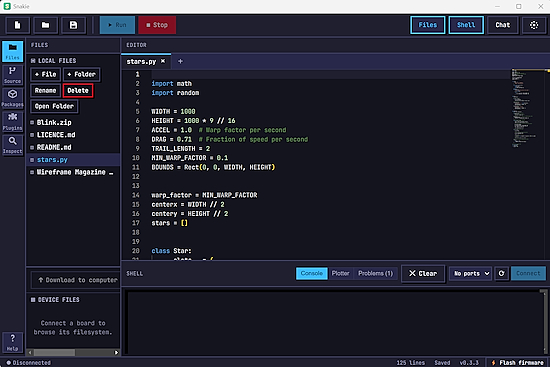
Snakie is a modern, cross-platform MicroPython editor by Kevin McAleer. It has a clean, uncluttered IDE for writing MicroPython code and working with connected MicroPython devices. It is built on Electron, so it runs on Windows, macOS and Linux, and updates easily – GitHub.
BASIC Ruled the ’80s. Here’s Why Python Quietly Became the New Gateway to Coding
If you ever used a computer in the ’70s, ’80s, and ’90s, your first foray into programming was most likely with BASIC. Here are the reasons why Python has taken its place as the language of choice for people learning to program – yahoo!tech.
AI Can Rewrite Open Source Code, But Can It Rewrite the License, Too?

AI coding tools are raising new issues with how that “clean room” rewrite process plays out legally, ethically, and practically. Those issues came to the forefront last week with the release of a new version of chardet, a popular open source python library for automatically detecting character encoding – Ars Technica.
Linux Kernel 7.1 Officially Released

The Linux Kernel 7.1 has been officially released. It introduces a new NTFS file system implementation and a new Landlock access right for pathname UNIX domain sockets – 9to5Linux.
Latest Raspberry Pi OS Release Is Powered by Linux Kernel 6.18 LTS – 9to5Linux.
This Week’s Python Streams

Python on Hardware is all about building a cooperative ecosphere which allows contributions to be valued and to grow knowledge. Below are the streams within the last week focusing on the community.
CircuitPython Deep Dive Stream

Last Friday, Tim filled in for Scott and spoke about the usb_audio core module.
You can see the latest video and past videos on the Adafruit YouTube channel under the Deep Dive playlist – YouTube.
CircuitPython Parsec

John Park’s CircuitPython Parsec this week is on LCD Character Marquee Scroll – Adafruit Blog and YouTube.
Catch all the episodes in the YouTube playlist.
Deep Dive with Tim
Last week, Tim was looking into USB Audio in TinyUSB.
You can see the latest video and past videos on the Adafruit YouTube channel under the Deep Dive playlist – YouTube.
CircuitPython Weekly Meeting
CircuitPython Weekly Meeting for June 15, 2026 (notes) on YouTube.
Project of the Week: Taking High Quality Motion-triggered Images Using a Raspberry Pi HQ or Global Shutter Camera
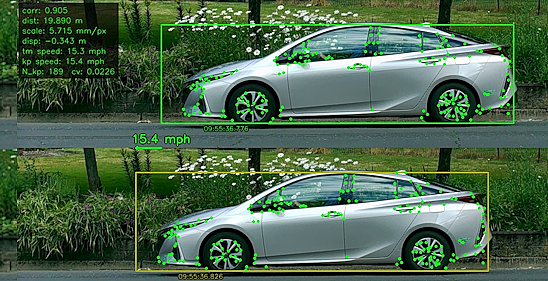
John Beale has posted high quality motion-triggered images using a Raspberry Pi HQ or global shutter camera along with Python. It is possible to estimate a vehicle’s speed using a pair of images taken from the side, if you know the camera-vehicle distance and therefore the image scale in mm per pixel, and the image frame rate – GitHub. Via Adafruit Blog.
Popular Last Week
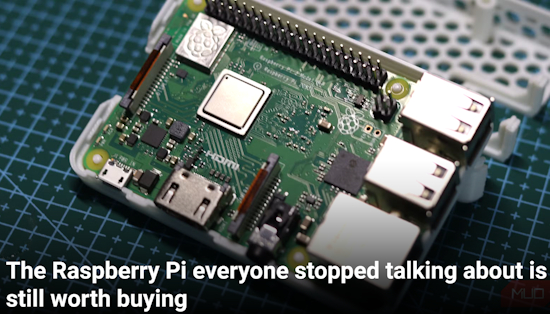
What was the most popular, most clicked link, in last week’s newsletter? The Raspberry Pi everyone stopped talking about is still worth buying.
Did you know you can read past issues of this newsletter in the Adafruit Daily Archive? Check it out.
New Notes from Adafruit Playground
Adafruit Playground is a new place for the community to post their projects and other making tips/tricks/techniques. Ad-free, it’s an easy way to publish your work in a safe space for free.
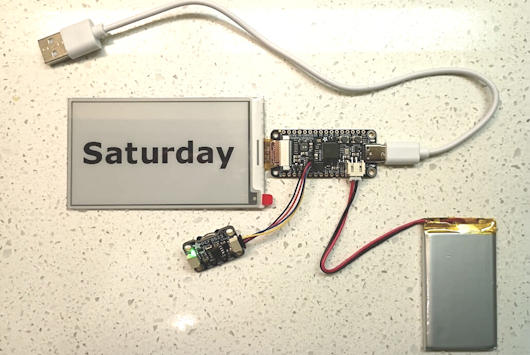
eInk Calendar With No Soldering – Adafruit Playground.
News From Around the Web
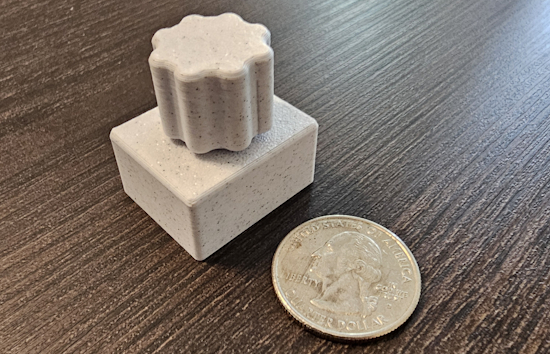
Mighty Mini Media Controller is a CircuitPython USB HID media controller built from an RP2040 board and a rotary encoder. Plug it into any computer and it works instantly as a media keyboard, no drivers required. Rotate the encoder to raise or lower volume. Press down for play/pause. All pins and timing constants are configurable at the top of code.py. It works on Windows, macOS, Linux, and ChromeOS – Keep Everything Yours. Via Reddit.
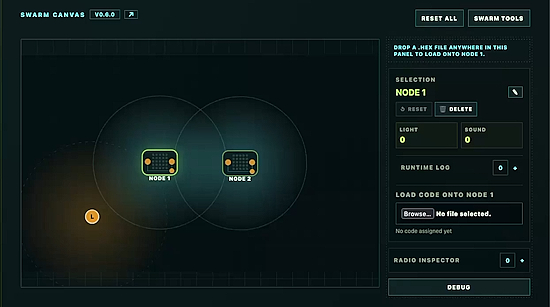
Simulating Micro:bit swarms with MicroPython – headtilt.me and GitHub. Via Mastodon.
Raspberry Pi Imager 2.0.10 adds Pi Connect for Organization Support, CM5 secure boot re-provisioning, accessibility updates, and write fixes – Linuxiac. Via BlueSky.
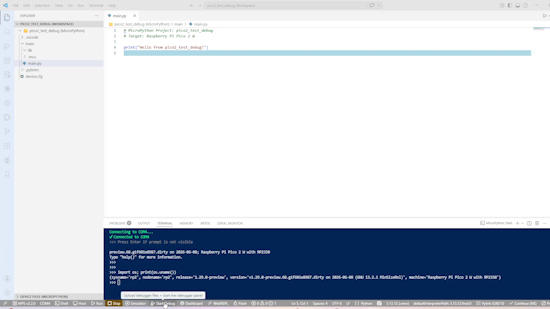
Setting up Raspberry Pi Pico 2 W with live debugging – YouTube.
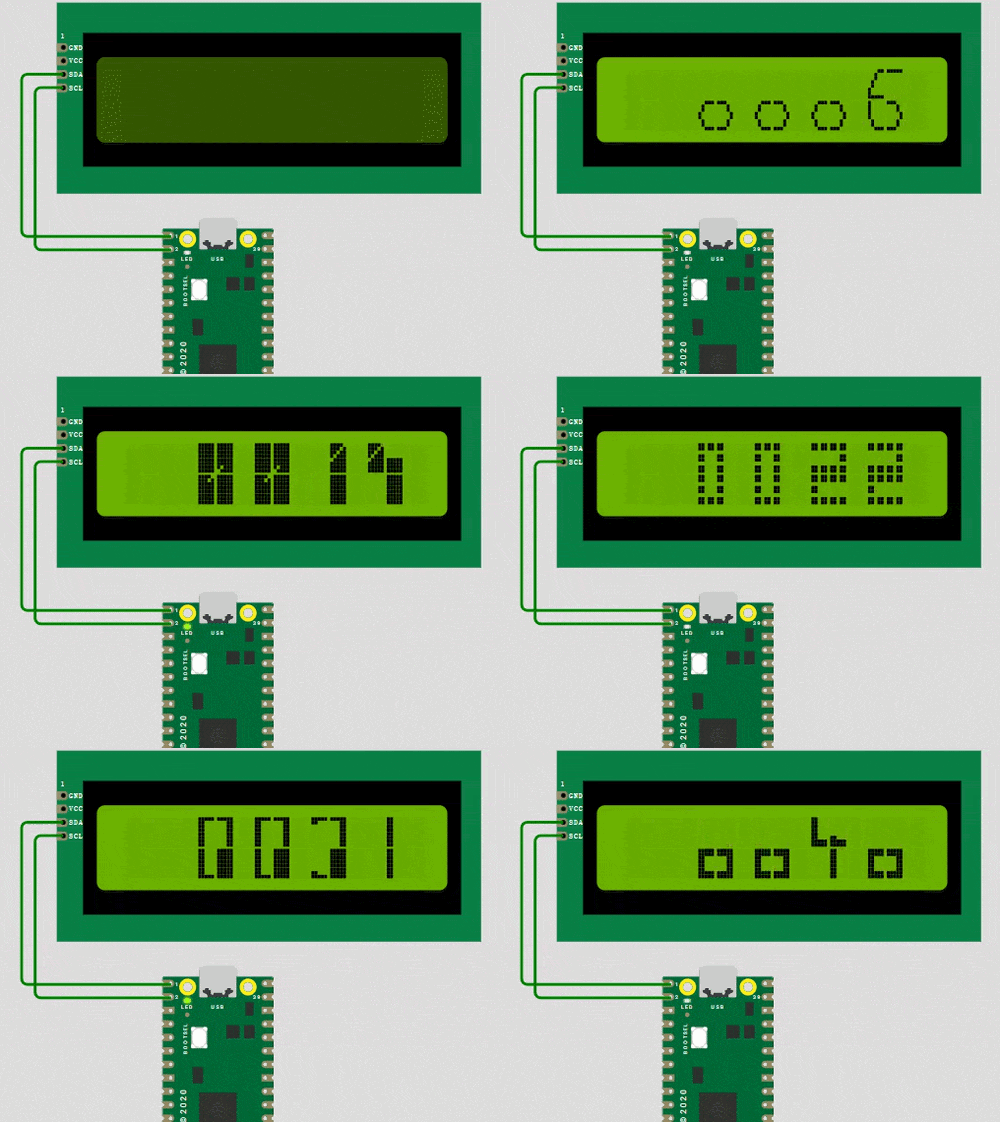
LCD1602 bigfont number displays large fonts on an LCD1602 display with MicroPython – hackster.io.
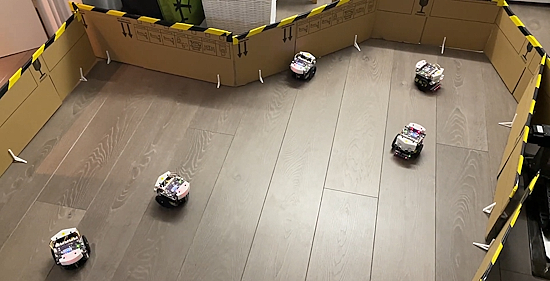
A fleet of obstacle-avoiding robots using MicroPython on RP2040 boards – YouTube.
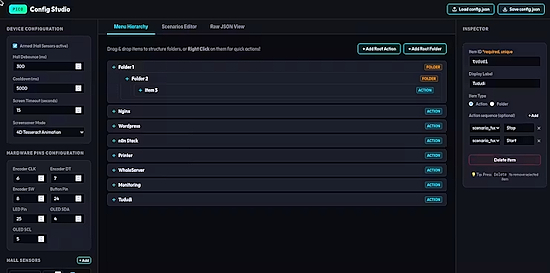
Pico Commander is a $15 open-source macro pad built on the Raspberry Pi Pico running CircuitPython. It requires zero drivers (acts as a standard USB HID Keyboard) and is configured entirely through a visual offline web editor – hackster.io.
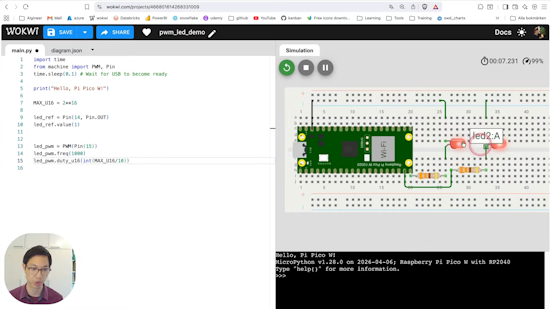
A Raspberry Pi tutorial on Pulse Width Modulation (PWM) with MicroPython – YouTube.
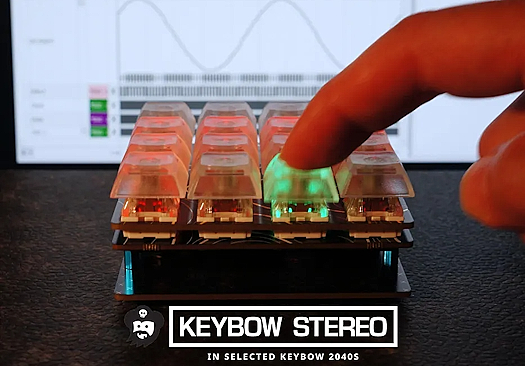
Macropad With digital stereo audio Using Pimoroni Keybow 2040 and MAX98357A audio board (HID + MIDI Capable) – Instructables.
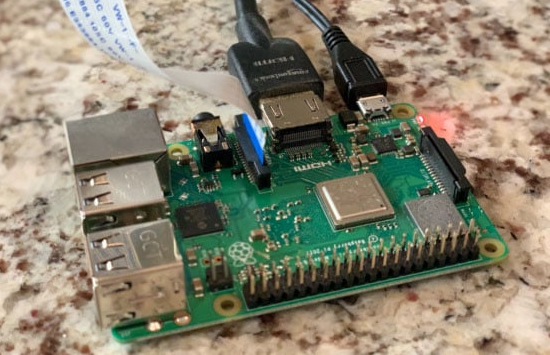
Computer vision and projection mapping in Python on Raspberry Pi – DigiKey.
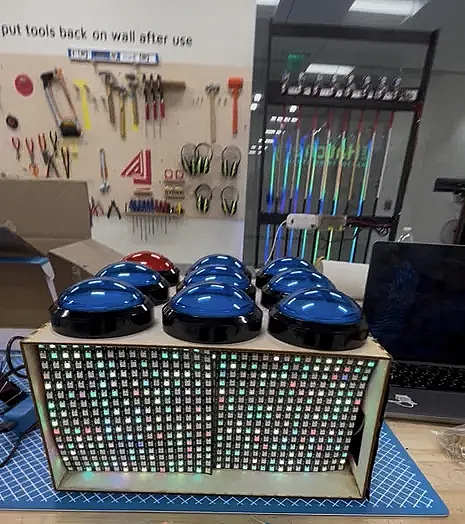
The Interactive Musical Game Board is an assistive technology device running CircuitPython designed for students with physical and cognitive disabilities at the Campus School to enjoy music by pressing buttons. The board features 9 100mm arcade buttons (8 blue and 1 red) each triggering colorful NeoPixel LED light feedback and cheerful audio playback through a speaker when pressed – Instructables.
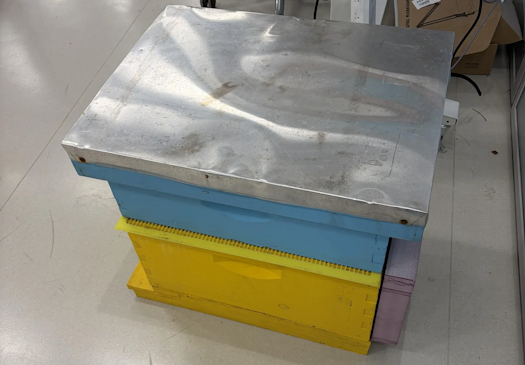
The Smart Beehive Winter Monitor is a CircuitPython sensor pod that watches the inside of a beehive and alerts the beekeeper hours before condensation forms. It runs on an ESP32-S3 Feather, sleeps between readings, publishes to a free Adafruit IO dashboard over WiFi, and computes the dew-point spread, the leading indicator that humidity alone can’t show – Instructables.
Everything Security that was presented at PyCon US 2026 – Python Software Foundation Blog.
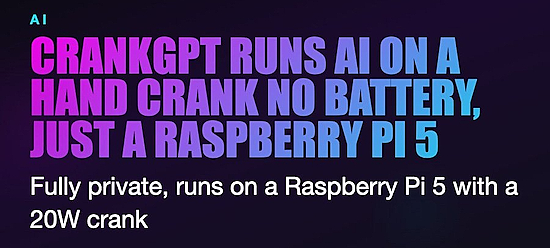
CrankGPT runs AI on a hand crank, no battery needed. Europe-based Squeez Labs built it around a Raspberry Pi 5 and a 20W hand-crank generator – X.

What are git worktrees, and why should I use them? – GitHub Blog.

DietPi 10.5 Enables KMS/DRM Graphics System by Default for Raspberry Pi SBCs – 9to5Linux.
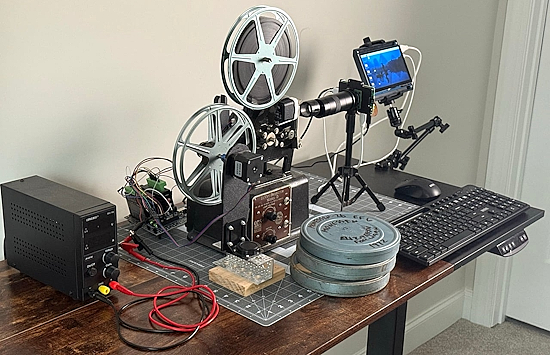
Saving family football footage with a Raspberry Pi and a 1928 projector – Raspberry Pi News and YouTube.
New
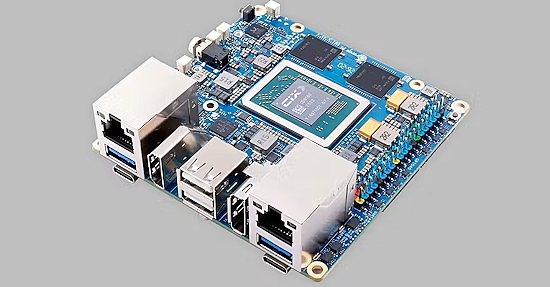
The Orange Pi 6 is built around the CIX CD8180 processor. This chip combines four Cortex-A720 performance cores, four Cortex-A720 medium cores, and four Cortex-A520 efficiency cores for a total of twelve Arm CPU cores. Display connectivity includes HDMI 2.0, DisplayPort 1.4, eDP, and DisplayPort output over USB-C. Memory options include 8GB, 16GB, and 24GB of LPDDR5.
There are two PCIe 4.0 x4 M.2 Key-M slots for NVMe SSDs, a microSD card slot and onboard SPI flash. The board includes dual 2.5 Gigabit Ethernet ports and an M.2 Key-E slot for an optional Wi-Fi 6 and Bluetooth 5.4 module. Additional connectivity includes USB 3.0 and USB 2.0 ports, dual full-function USB Type-C connectors, dual MIPI CSI camera interfaces, audio input and output, and a 40-pin GPIO header – hackster.io.
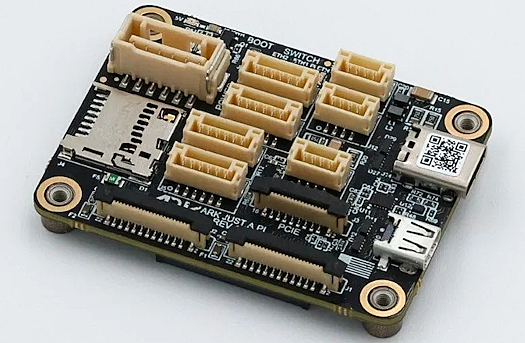
ARK Electronics has recently featured the ARK Just A Pi, a compact carrier board for the Raspberry Pi Compute Module 5. The board provides USB, Ethernet, CSI camera, UART, PCIe, HDMI, and GPIO connectivity in a small form factor intended for integration with autopilot and embedded systems – LinuxGizmos.
New Boards Supported by CircuitPython
The number of supported microcontrollers and Single Board Computers (SBC) grows every week. This section outlines which boards have been included in CircuitPython or added to CircuitPython.org.
This week there were no new boards added.
Note: For non-Adafruit boards, please use the support forums of the board manufacturer for assistance, as Adafruit does not have the hardware to assist in troubleshooting.
Looking to add a new board to CircuitPython? It’s highly encouraged! Adafruit has four guides to help you do so:
New Adafruit Learning System Guides

The Adafruit Learning System has over 3,200 free guides for learning skills and building projects including using Python.
Video Feedback with Raspberry Pi from Tim C
Prop It Game from Ruiz Brothers and Liz Clark
Cluetooth Scanner from John Park
CircuitPython Libraries

The CircuitPython library numbers are continually increasing, while existing ones continue to be updated. Here we provide library numbers and updates!
To get the latest Adafruit libraries, download the Adafruit CircuitPython Library Bundle. To get the latest community contributed libraries, download the CircuitPython Community Bundle.
If you’d like to contribute to the CircuitPython project on the Python side of things, the libraries are a great place to start. Check out the CircuitPython.org Contributing page. If you’re interested in reviewing, check out Open Pull Requests. If you’d like to contribute code or documentation, check out Open Issues. We have a guide on contributing to CircuitPython with Git and GitHub, and you can find us in the #help-with-circuitpython and #circuitpython-dev channels on the Adafruit Discord.
You can check out this list of all the Adafruit CircuitPython libraries and drivers available.
The current number of CircuitPython libraries is 570!
Updated Libraries
Here is this week’s updated CircuitPython library:
What’s the CircuitPython team up to this week?
What is the team up to this week? Let’s check in:
Dan
I continued fixing more issues for the CircuitPython 10.3.0 release. The fixes included more Espressif BLE fixes, some clarifications on PDMIn on Espressif, and fixing a regression in camera support when we upgraded to ESP-IDF 6.
Tim
The Raspberry Pi video feedback guide I mentioned last week is now wrapped up and published. Next I am looking into USB Audio protocols. The goal is to enable CircuitPython to act as USB Audio output/input devices like a microphone or speaker. I’ve started with the input/microphone side. The CircuitPython device gets seen as a USB microphone by the computer it is connected to and Python code can control what sound gets sent into the channel with synthio and other audio APIs. I started by adapting existing examples from TinyUSB and then porting the functionality into a CircuitPython module using the lessons learned. I will demonstrate the new functionality with a morse code paddle project.
Liz
This week I am starting to document the CircuitPython chiptune player project. I have written a CircuitPython helper library that emulates the AY8912 sound generator using synthio. It also decodes VGM (video game music) sound files. Noe is working on an enclosure and we will wrap everything up next week.
Upcoming Events

The next MicroPython Meetup in Melbourne will be on June 24 – Luma. You can see recordings of previous meetings on YouTube.

EuroPython 2026 is coming to Kraków, Poland 13-19 July, 2026. Join thousands of Python enthusiasts for a week of learning, networking, and community.
Other Events This Year
- PyOhio 2026 is from 25 July through 26 July, 2026 this year in Cleveland, USA.
- HOPE 26 Conference is from August 14th through 16th at the New Yorker Hotel, NY, NY.
- PyCon AU 2026 will be 26 Aug. 2026 – 30 Aug. 2026 in Brisbane, Australia
If you know of virtual events or upcoming events, please let us know via email to cpnews(at)adafruit(dot)com.
Latest Releases
CircuitPython’s stable release is 10.2.1 and its unstable release is 10.3.0-alpha.2. New to CircuitPython? Start with our Welcome to CircuitPython Guide.
20260619 is the latest Adafruit CircuitPython library bundle.
20260616 is the latest CircuitPython Community library bundle.
v1.28.0 is the latest MicroPython release. Documentation for it is here.
3.14.6 is the latest Python release. The latest pre-release version is 3.15.0b2.
4,519 Stars Like CircuitPython? Star it on GitHub!
Call for Help – Translating CircuitPython is now easier than ever
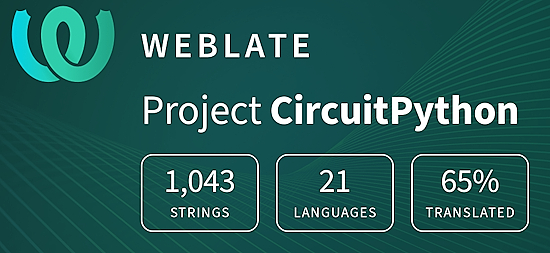
One important feature of CircuitPython is translated control and error messages. With the help of fellow open source project Weblate, we’re making it even easier to add or improve translations.
Sign in with an existing account such as GitHub, Google or Facebook and start contributing through a simple web interface. No forks or pull requests needed! As always, if you run into trouble join us on Discord, we’re here to help.
38,946 Thanks


The Adafruit Discord community, where we do all our CircuitPython development in the open, reached nearly 39k humans – thank you! Adafruit believes Discord offers a unique way for Python on hardware folks to connect. Join today at https://adafru.it/discord.
ICYMI – In case you missed it

Python on hardware is the Adafruit Python video-newsletter-podcast! The news comes from the Python community, Discord, Adafruit communities and more and is broadcast on ASK an ENGINEER Wednesdays. The complete Python on Hardware weekly videocast playlist is here. The video podcast is on iTunes, YouTube, Instagram, and XML.
The weekly community chat on Adafruit Discord server CircuitPython channel – Audio / Podcast edition – Audio from the Discord chat space for CircuitPython, meetings are usually Mondays at 2pm ET, this is the audio version on iTunes, Pocket Casts, Spotify, and XML feed.
Contribute
The CircuitPython Weekly Newsletter is a CircuitPython community-run newsletter emailed every Monday. To contribute your content, please email your news to cpnews (at) adafruit (dot) com with information and link(s) to your content.
Join the Adafruit Discord or post to the forum if you have questions.
