View this email in your browser. Warning: Flashing Imagery
Welcome to the latest Python on Microcontrollers newsletter. It must be Spring, the city is digging up the streets! And with the retooling, the Python Software Foundation is making strides on their current and future releases. Raspberry Pi has put a basket full of goodies into their new Raspberry Pi Connect software. And even VS Code has been updated.
BeagleBoard discusses all their latest endeavors. And finally we’ve had memory and storage shortages – the next domino apparently is a printed circuit board shortfall. Oh, my. Lots more in this issue, I hope you like it all. – Anne Barela, Editor
We’re on Discord, Twitter/X, BlueSky and for past newsletters – view them all here. If you’re reading this on the web, please subscribe here. Here’s the news this week:
Python 3.15.0 beta 1 and Python 3.14.5 Release Candidate 1
Two new versions of Python were released this week. Python 3.15 gets closer to release while Python 3.14.5 is a release candidate for the fifth maintenance release of 3.14, containing around 113 bugfixes, build improvements and documentation changes since 3.14.4 – Python 3.15 and Python 3.14.
The best new features of Python 3.15 – InfoWorld.
You’ve Seen The Chip Shortage And The Memory Shortage, Now Prepare For The PCB Shortage
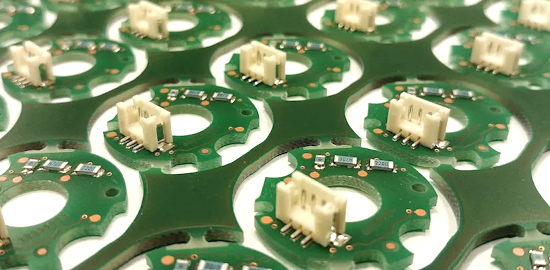
The conflict in the Middle East has disrupted supplies of crucial raw materials and pushed up prices of the printed circuit boards (PCB) used in almost all electronic devices, from smartphones and computers to AI servers, industry sources and executives have said – Reuters. Via Hackaday.
Raspberry Pi Imager Now Supports Raspberry Pi Connect for Organizations
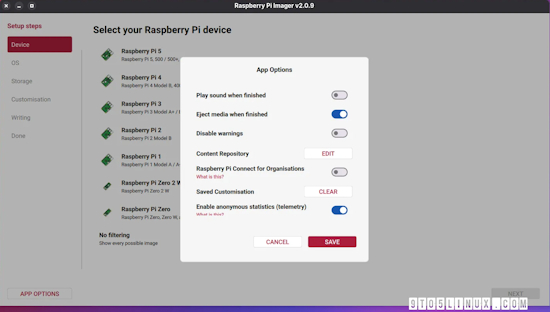
Raspberry Pi Imager 2.0.9 has been released as the latest stable release of this user-friendly tool for creating bootable media for Raspberry Pi devices, introducing support for Raspberry Pi Connect for Organizations. Connect for Organizations now lets administrators require all members to use two-factor authentication (2FA) on their Raspberry Pi ID – 9to5Linux, Raspberry Pi News and release notes – GitHub.
“Raspberry Pi Imager 2.0.9 also improves write reliability with better overflow handling for GPT, MBR, and FAT partition wrappers, better handling of long filenames in FAT partitions, support for parsing zstd headers to recover the extract size for local archives, and support for handling extremely large sectors_per_fat in the disk formatter. It also removes the 512-byte alignment requirement.”
“You can now apply tags to any device — for example, by location (London, Cambridge), by environment (production, staging), or by what the device actually does (point-of-sale, kiosk). Tags appear underneath the device name on both the device page and the device list.”
Hearing from BeagleBoard

Chris Gammell interviews BeagleBoard’s Jason Kridner as they discuss Beagle happenings, including BeagleBoard.org recently joining Zephyr – The Amp Hour. Via BlueSky.
Testing the New OpenAI Codex Features on a Real Python Codebase, and It’s the Strongest Claude Code Rival Yet

OpenAI has updated Codex with computer use, an in-app browser, and PR reviews. Testing on HTTPie revealed how these features handle real-world Python bug fixes – The New Stack.
New VS Code Released

A new version of VS Code is out with some new features and fixes. New items include share integrated browser tabs as context, a new Markdown preview experience and more – Release Notes. Via X.
This Week’s Python Streams

Python on Hardware is all about building a cooperative ecosphere which allows contributions to be valued and to grow knowledge. Below are the streams within the last week focusing on the community.
CircuitPython Deep Dive Stream

Last Friday, Scott streamed work on finishing P4HIL.
You can see the latest video and past videos on the Adafruit YouTube channel under the Deep Dive playlist – YouTube.
CircuitPython Parsec

John Park’s CircuitPython Parsec this week is on RGB LCD Character Display Shield Basics – Adafruit Blog and YouTube.
Catch all the episodes in the YouTube playlist.
Deep Dive with Tim

Last week, Tim streamed work on Sensor Locked Secrets Project Code Refactor & Cleanup.
You can see the latest video and past videos on the Adafruit YouTube channel under the Deep Dive playlist – YouTube.
CircuitPython Weekly Meeting
CircuitPython Weekly Meeting for May 4th, 2026 (notes) on YouTube.
Project of the Week: How to Reverse-Engineer Almost Any Keyboard Matrix With Raspberry Pi Pico
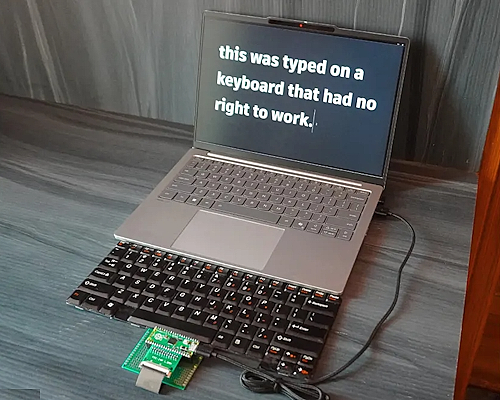
thanishurs31 on Instructables has developed a Pi Pico and CircuitPython solution to scan an entire keyboard ribbon cable matrix. It figures out which pins are rows, which are columns, handles diode-protected N-key rollover boards and old simple membrane boards, flags shared power lines, and spits out a clean JSON map at the end – Instructables. Via hackster.io.
Popular Last Week

What was the most popular, most clicked link, in last week’s newsletter? The Hottest Anti-AI Gadget Is a Cyberdeck.
Did you know you can read past issues of this newsletter in the Adafruit Daily Archive? Check it out.
News From Around the Web
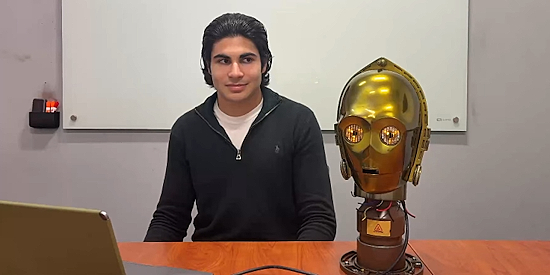
Samuel Potozkin has created a real-time, AI-powered conversational droid that you can actually talk to. This project explores what happens when AI is removed from the screen and placed into a physical object—shifting interaction from typing to conversation. Uses a Raspberry Pi 5 and Python – Hackaday, YouTube and GitHub.
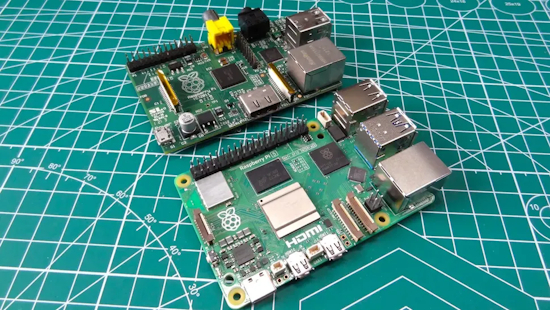
New server-focused SPEC CPU 2026 benchmarking suite has results for a Raspberry Pi 5 — updated tools feature more tests and can run a wide range of systems – Tom’s Hardware.
Greg Steiert posts this on X (formerly Twitter) – X.
“Adafruit does not get enough credit. It is easy to take things like CircuitPython for granted. Abstracting away the complexities of programming, you are too busy being productive to think about how difficult it is to make complex things like embedded programming simple. The difficulty is amplified exponentially when you think about all the different hardware and architectures that it supports.”
“CircuitPython is truly a work of art, and it would not be possible without professional development processes. The best part of CircuitPython is that it is open source, so after you have mastered programming MCUs in Python and are looking for the next steps in embedded development, you can see and learn the world-class, best practices for supporting diverse hardware.”
“This is why it is worth noting that Adafruit has decided to build CircuitPython on the Zephyr RTOS. And as with everything they do, they share the reasoning openly. This may be one of the best arguments for Zephyr that I have seen. CircuitPython is not a toy, the variety of hardware it supports is beyond impressive. There is a lot we can learn from Adafruit.”
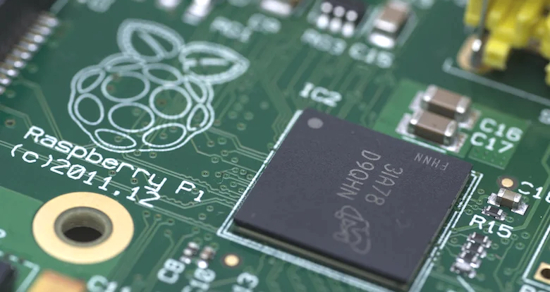
How long do Raspberry Pis last? Here’s what users say – BGR.
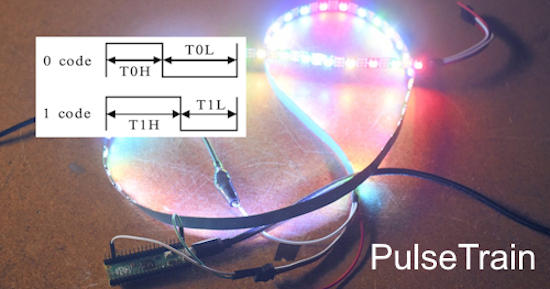
James has created a CircuitPython program called PulseTrain specifically for the Raspberry Pi RP2040 Pico. The code uses the RP2040 PIO subsystem to generate exact pulse trains to drive a digital line, allowing an easy creation of common bitstreams used in many protocols – Adafruit Blog, Substack and GitHub.
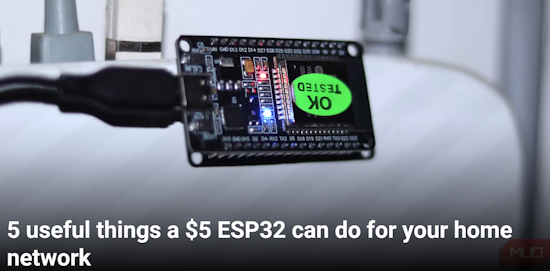
Five useful things a $5 ESP32 can do for your home network – Make Use Of.
Need to use your laptop keyboard on your phone? This CircuitPython project forwards laptop keystrokes via a microcontroller over BLE HID, turning your computer into a wireless keyboard – GitHub. Via X.
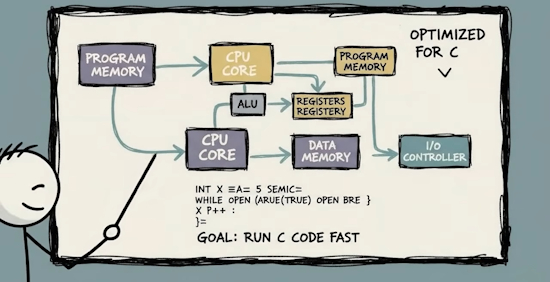
Every type of microcontroller explained (video). Note the images have AI generation, the voiceover appears correct – YouTube. Via the Adafruit Blog.
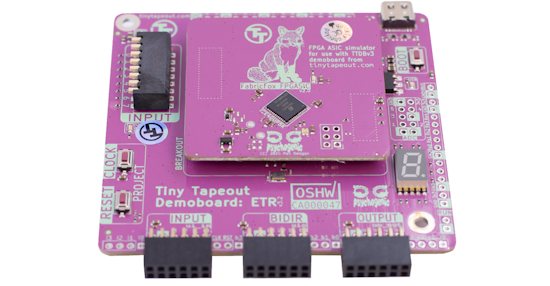
FPGA Development Kit has a Lattice UP5K FPGA on a PCB with headers and a pinout compatible with the Tiny Tapeout Demoboard, which includes all the digital I/O as well as the project reset and clock. It can let you try out and test your digital designs in the same way as you’ll be interacting with ASIC projects: on top of the Demoboard, through PMOD headers or the RP2 MicroPython SDK – Tiny Tapeout and Demo code.
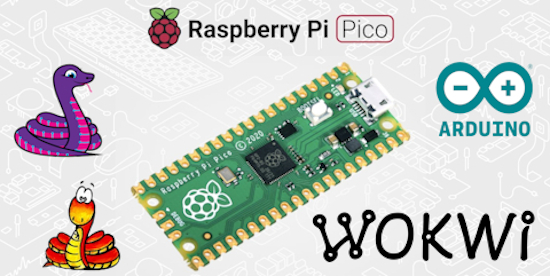
rp2040js is a Raspberry Pi Pico Emulator for the Wokwi Simulation Platform which runs CircuitPython, Arduino and MicroPython – Adafruit Blog and GitHub. Via Hackaday.
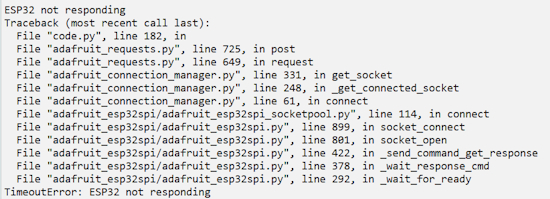
How to re-initialize a stuck ESP32 in CircuitPython – shallowsky.com.
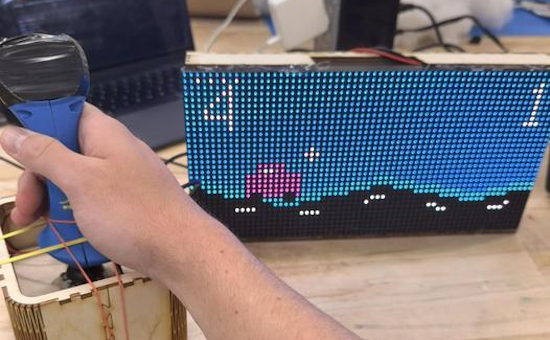
An accessible driving game with haptic feedback + sounds with Raspberry Pi Pico 2W and CircuitPython – Instructables. Via Mastodon.
mcujs – a JavaScript runtime for RP2040 and RP2350 microcontrollers, in the same spirit as Node.js for servers – GitHub.
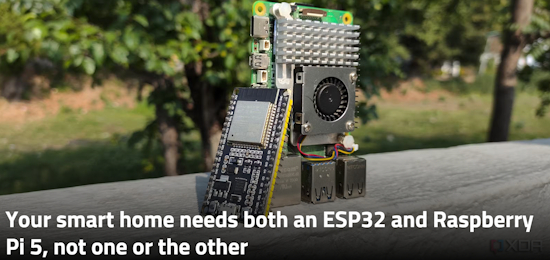
Your smart home needs both an ESP32 and Raspberry Pi 5, not one or the other – XDA.

What I learned using Claude Sonnet to migrate Python to Rust – InfoWorld.
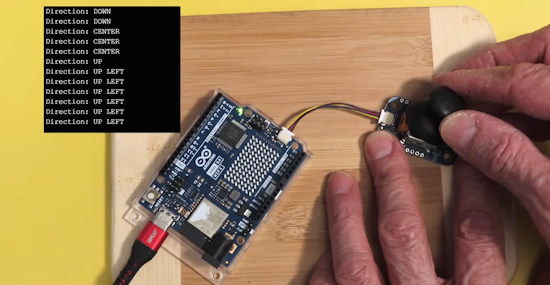
Arduino Modulino – intelligent I2C modules used with MicroPython and the Arduino IDE – YouTube.
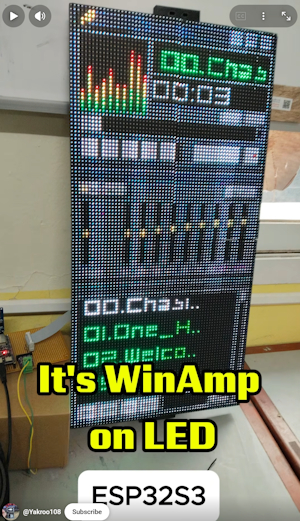
A music player with the look of the classic PC player WinAmp made with an ESP32-S3 and LED matrix panels – X and YouTube.

Python isn’t always easy – InfoWorld.
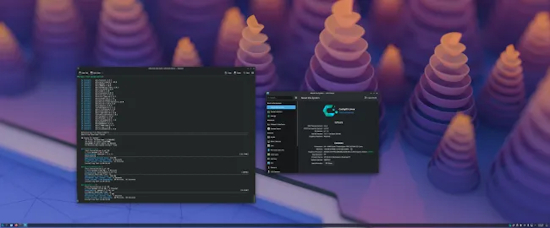
CachyOS switches Python to using the Python 3.14 tail-call interpreter for 5~15% better performance – Phoronix.
New
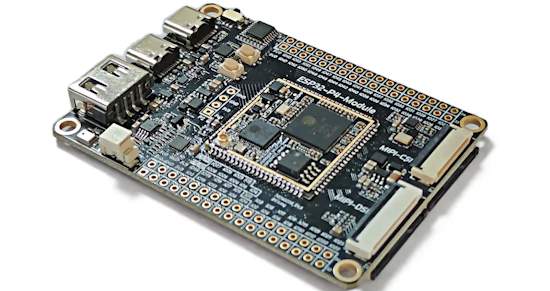
The Maker Go ESP32P4C5 core board features an ESP32-P4-Module with ESP32-P4 MCU with 32MB PSRAM, an ESP32-C5 dual-band WiFi 6 SoC, and a 16MB NOR flash. Besides the MIPI connectors, the board features three USB ports, one for debugging, and two Type-C/A ports sharing a USB 2.0 data connection, a built-in MEMS microphone, a speaker connector, and two 34-pin headers for expansion – CNX.
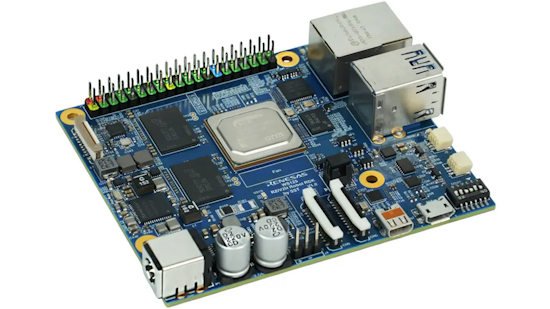
Renesas WS125-V2HRDKREFZ is a Robotics Development Kit (RDK) powered by Renesas RZ/V2H Arm Cortex-A55/R8/M33 microprocessor and designed for high‑performance AI vision applications leveraging the MPU’s built-in 80 TOPS (sparse) AI accelerator. The kit ships with 16GB LPDDR4, 64MB QSPI flash, a 64GB microSD card, a 40-pin Raspberry Pi GPIO header, a 16-pin PCIe Gen3 FFC connector, two MIPI CSI connectors, and a micro HDMI port. Other features include a Gigabit Ethernet port, two USB 3.2 ports, two CAN-FD interfaces, and a 12-24V DC input voltage range – CNX.
New Boards Supported by CircuitPython
The number of supported microcontrollers and Single Board Computers (SBC) grows every week. This section outlines which boards have been included in CircuitPython or added to CircuitPython.org.
This week there were 32 new boards added!
For microcontrollers, there are boards that are supported by the emerging CircuitPython Zephyr work. For single board computers, there are boards which can use the Blinka compatibility layer which uses U2IF, allows you to run “regular” Python code on your main computer and have it communicate with external devices connected through an RP2040 board (Learn Guide for this).
- EK-RA8D1 Evaluation Kit (Zephyr) by Renesas
- STM32U575ZIT6Q Nucleo (Zephyr) by STMicroelectronics
- Nordic nRF54L05 Development Kit (Zephyr) by Nordic Semiconductor
- Nordic nRF7002 Development Kit (Zephyr) by Nordic Semiconductor
- Nordic nRF5340 Development Kit (Zephyr) by Nordic Semiconductor
- STM32U575ZIT6Q Discovery Kit (Zephyr) by STMicroelectronics
- EK-RA6M5 Evaluation Kit (Zephyr) by Renesas
- Nordic nRF54H20 Development Kit (Zephyr) by Nordic Semiconductor
- MCXN947 FRDM Development Board (Zephyr) by NXP
- Nucleo N657X0-Q (Zephyr) by STMicroelectronics
- Raspberry Pi Pico (Zephyr) by Raspberry Pi
- Raspberry Pi Pico W (Zephyr) by Raspberry Pi
- Raspberry Pi Pico 2 (Zephyr) by Raspberry Pi
- Raspberry Pi Pico 2 W (Zephyr) by Raspberry Pi
- Feather RP2040 (Zephyr) by Adafruit
- Feather nRF52840 Express (Zephyr) by Adafruit
- Feather nRF52840 Sense (Zephyr) by Adafruit
- STM32WBA65I-DK1 Discovery Kit (Zephyr) by STMicroelectronics
- STM32H750B-DK Discovery Kit (Zephyr) by STMicroelectronics
- Renesas DA14695 Development Kit USB (Zephyr) by Renesas
- NXP FRDM-RW612 (Zephyr) by NXP
- Feather RP2040 via U2IF by Adafruit (Blinka)
- Feather RP2040 CAN Bus via U2IF by Adafruit (Blinka)
- Feather RP2040 RFM9x via U2IF by Adafruit (Blinka)
- Feather RP2040 RFM69 via U2IF by Adafruit (Blinka)
- Feather RP2040 ThinkInk via U2IF by Adafruit (Blinka)
- ItsyBitsy RP2040 via U2IF by Adafruit (Blinka)
- Adafruit KB2040 via U2IF by Adafruit (Blinka)
- MacroPad RP2040 via U2IF by Adafruit (Blinka)
- Trinkey QT2040 via U2IF by Adafruit (Blinka)
- QT Py RP2040 via U2IF by Adafruit (Blinka)
- RP2040-One via U2IF by Waveshare (Blinka)
Note: For non-Adafruit boards, please use the support forums of the board manufacturer for assistance, as Adafruit does not have the hardware to assist in troubleshooting.
Looking to add a new board to CircuitPython? It’s highly encouraged! Adafruit has four guides to help you do so:
Adafruit Learning System Guides

The Adafruit Learning System has over 3,200 free guides for learning skills and building projects including using Python.
Adafruit Playground Notes
Adafruit Playground is a place for the community to post their projects and other making tips/tricks/techniques. Ad-free, it’s an easy way to publish your work in a safe space for free.
CircuitPython Libraries

The CircuitPython library numbers are continually increasing, while existing ones continue to be updated. Here we provide library numbers and updates!
To get the latest Adafruit libraries, download the Adafruit CircuitPython Library Bundle. To get the latest community contributed libraries, download the CircuitPython Community Bundle.
If you’d like to contribute to the CircuitPython project on the Python side of things, the libraries are a great place to start. Check out the CircuitPython.org Contributing page. If you’re interested in reviewing, check out Open Pull Requests. If you’d like to contribute code or documentation, check out Open Issues. We have a guide on contributing to CircuitPython with Git and GitHub, and you can find us in the #help-with-circuitpython and #circuitpython-dev channels on the Adafruit Discord.
You can check out this list of all the Adafruit CircuitPython libraries and drivers available.
The current number of CircuitPython libraries is 569!
New Libraries
No new libraries this week.
Updated Libraries
Here are this week’s updated CircuitPython libraries:
What’s the CircuitPython team up to this week?
What is the team up to this week? Let’s check in:
Dan
Last week, I added support for floating-point values in the settings.toml file. Users can use this in their own code. I will also be adding new settings to allow changing durations of various startup delays that CircuitPython uses.
In these notes from last week, I mentioned a bug in the memcpy() function on Espressif RISC-V chips, which caused bugs on CircuitPython ESP32-C6 builds. Espressif fixed the problem in newer versions of ESP-IDF. We are moving to ESP-IDF v6.0.1, which incorporates the fix, in the CircuitPython 10.3.0-alpha.2 release; it will be available shortly.
More than a year ago, users of Chromebooks started having trouble seeing or accessing the UF2 BOOT drive on SAMD boards. Many classrooms were using MakeCode with Circuit Playground Express boards on Chromebooks, but this bug made that impossible. The problem came and went multiple times with different ChromeOS versions, and was hard to debug. The ChromeOS developers tracked it down to fwupd, a firmware update service for attached devices, including USB devices, but the actual cause was still confusing.
A couple of weeks ago I installed the just-released Ubuntu 26.04 on my regular development machine. Then I also started seeing the same SAMD BOOT drive problem. On my own fully accessible machine, I was able to track this bug down to an incorrect error response to a legitimate USB mass storage request coming from fwupd. With some analysis and code suggestions from a couple of LLMs, this problem now appears to be fixed, and we’ll be releasing updates for the SAMD UF2 bootloaders.
Tim
This week I finished writing up the sensor locked secrets guide after cleaning up the code and accompanying web page. I have tinkered a little more with ESP-Claw, setting up a way to flash the Metro S3 with a fork of the web flasher hosted in GitHub Pages. I submitted a PR with the Metro S3 board definition to the upstream project. I picked back up work on I2SIn, the raspberrypi port is my next focus. It can currently produce recordings with sound in them but there is lots of extra noise. It’s getting closer but needs more troubleshooting.
Scott
This week I’ve been hard at work on the ESP32-P4 based hardware-in-the-loop host board. I’ve routed everything and labeled stuff with silkscreen. So, I’m getting close to ordering it. I also got back my P4 GPIO minimal design and the chip can communicate over USB but the flash doesn’t seem to be working. I’ll debug that before ordering either because the flash portion is shared between designs.
Liz
I had the idea to try and install CircuitPython on the new Ikea Matter sensors. They use a SiLabs EFR32MG24. Unfortunately, the chips are fully locked and do not even allow an erase so it’s a non-starter. I did try out some new skills in this process though. I used OpenOCD and SiLabs Simplicity Commander software to interface with the chip.
Upcoming Events

PyCon US is May 13 – May 19, 2026 in Long Beach, California

The next MicroPython Meetup in Melbourne will be on May 27 – Luma. You can see recordings of previous meetings on YouTube.
Other Events This Year
If you know of virtual events or upcoming events, please let us know via email to cpnews(at)adafruit(dot)com.
Latest Releases
CircuitPython’s stable release is 10.1.4 and its unstable release is 10.3.0-beta.1. New to CircuitPython? Start with our Welcome to CircuitPython Guide.
20260416 is the latest Adafruit CircuitPython library bundle.
20260414 is the latest CircuitPython Community library bundle.
v1.28.0 is the latest MicroPython release. Documentation for it is here.
3.14.4 is the latest Python release. The latest pre-release version is 3.15.0b1.
4,477 Stars Like CircuitPython? Star it on GitHub!
Call for Help – Translating CircuitPython is now easier than ever
One important feature of CircuitPython is translated control and error messages. With the help of fellow open source project Weblate, we’re making it even easier to add or improve translations.
Sign in with an existing account such as GitHub, Google or Facebook and start contributing through a simple web interface. No forks or pull requests needed! As always, if you run into trouble join us on Discord, we’re here to help.
39,024 Thanks


The Adafruit Discord community, where we do all our CircuitPython development in the open, reached over 39,024 humans – thank you! Adafruit believes Discord offers a unique way for Python on hardware folks to connect. Join today at https://adafru.it/discord.
ICYMI – In case you missed it

Python on hardware is the Adafruit Python video-newsletter-podcast! The news comes from the Python community, Discord, Adafruit communities and more and is broadcast on ASK an ENGINEER Wednesdays. The complete Python on Hardware weekly videocast playlist is here. The video podcast is on iTunes, YouTube, Instagram, and XML.
The weekly community chat on Adafruit Discord server CircuitPython channel – Audio / Podcast edition – Audio from the Discord chat space for CircuitPython, meetings are usually Mondays at 2pm ET, this is the audio version on iTunes, Pocket Casts, Spotify, and XML feed.
Contribute
The CircuitPython Weekly Newsletter is a CircuitPython community-run newsletter emailed every Monday. To contribute your content, please email your news to cpnews (at) adafruit (dot) com with information and link(s) to your content.
Join the Adafruit Discord or post to the forum if you have questions.
