View this email in your browser. Warning: Flashing Imagery
Welcome to the latest Python on Microcontrollers newsletter! I’m recovering from food poisoning, but that will not deter me from finding content you can use today. This week, there is an abundance of MicroPython projects, resources and lists below to help you get through using Python, and a bit of AI too, as it seems it is here to stay. On the socials, more folks are programming with AI and converting programs written in one language to Python for hardware. That’s ok, but it’s best to double check what the LLM spits out. And look at policies like MicroPython’s AI Disclosure policy before submitting code to others. – Anne Barela, Editor
We’re on Discord, Twitter/X, BlueSky and for past newsletters – view them all here. If you’re reading this on the web, please subscribe here. Here’s the news this week:
µReticulum for MicroPython Released

µReticulum is a pure MicroPython implementation of the Reticulum network stack, designed to run on microcontrollers like the ESP32 and Raspberry Pi Pico W – GitHub.
“Reticulum is the cryptography-based networking stack for building local and wide-area networks with readily available hardware. Reticulum can continue to operate even in adverse conditions with very high latency and extremely low bandwidth. The vision of Reticulum is to allow anyone to operate their own sovereign communication networks.”
microclawup, an AI-powered ESP32 GPIO Controller Written in MicroPython
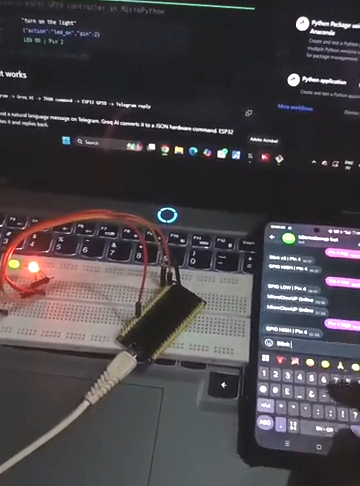
OneDot6374 has created microclawup to control ESP32 GPIO with natural language via Telegram (MicroPython + Groq AI). You send a natural language message on Telegram, Groq AI converts it to a hardware command, and your ESP32 executes it. Inspired by zclaw (which is in C). Tested on ESP32-C3, S3, and C6 – Reddit and GitHub.
Features:
- Natural language GPIO control
- Groq AI — completely free
- Persistent memory across reboots
- WiFi auto-reconnect
- /status and /help commands
- Easy setup with Python via setup.py

Srishti analyzed the top GitHub repositories where Python Jupyter Notebooks (.ipynb) are the primary format and filtered out pure hype, keeping only the most practical, structured learning resources. Here are the ten repositories he states will make you better at AI – X.
- microsoft/generative-ai-for-beginners — Full repo for Microsoft’s Generative AI course with Jupyter notebooks and lessons on building GenAI apps. ⭐ ~105k
- rasbt/LLMs-from-scratch — Educational implementation of GPT-style LLMs from scratch (code + notebooks). ⭐ ~83k
- microsoft/ai-agents-for-beginners — Course on building agentic AI systems, tools, memory, planning, and workflows. ⭐ ~49k
- microsoft/ML-For-Beginners — Classic machine learning fundamentals curriculum (26 lessons). ⭐ ~83k
- openai/openai-cookbook — Official OpenAI API examples, production-ready patterns, recipes, and demos in notebooks. ⭐ ~71k
- jackfrued/Python-100-Days — Intensive Python learning roadmap with 100 days of exercises/notebooks. ⭐ ~177k
- pathwaycom/llm-app — RAG templates and real-world deployable LLM apps (prod-ready pipelines). ⭐ ~54k
- jakevdp/PythonDataScienceHandbook — Foundational data science notebook collection (NumPy, Pandas, Matplotlib, Scikit-Learn). ⭐ ~46k
- CompVis/stable-diffusion — Original Stable Diffusion text-to-image model code (excellent learning material). ⭐ ~72k
- facebookresearch/segment-anything — Meta’s Segment Anything Model (SAM) for interactive image segmentation. ⭐ ~53k
MicroPython Brings Flip-Dot Displays Into the 21st Century
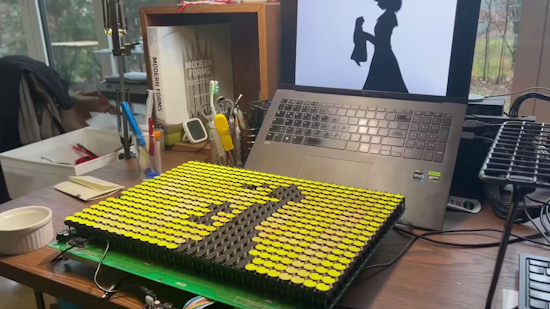
Maker GenerallyOkayTimes received a flip-dot display, like that used on buses: high visibility and cute. The display is driven by a SMT32 controller which speaks to an ESP8285 running MicroPython. Driving the display is a board called the Flippity210. The board is being tested out in a series of MicroPython experiments. The display successfully ran Conway’s Game of Life and a clock, though the limited RAM of the ESP8285 made heavy HTTPS requests — such as fetching public transit schedules — impractical – Codeberg.org and hackster.io. Ed. Maybe the project could use a decent ESP32-S3 for data retrieval?
Free eBooks on Python
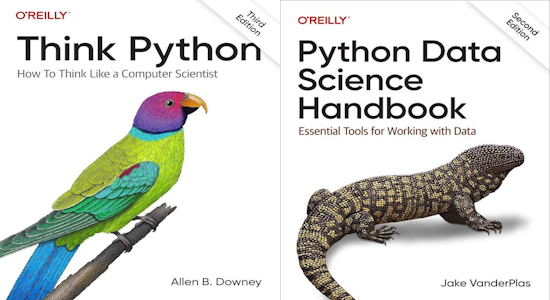
A list of nine (unpirated) e-books on Python that provide information about Python and its use from Swapna Kumar Panda – X.
- Think Python (O’Reilly)
- The Big Book of Small Python Projects
- Data Structures
- Data Science Handbook
- Data Analysis
- Data Science
- Machine Learning
- Statistics
- Clean Code in Python (Packt)
This Week’s Python Streams

Python on Hardware is all about building a cooperative ecosphere which allows contributions to be valued and to grow knowledge. Below are the streams within the last week focusing on the community.
CircuitPython Deep Dive Stream

Last Friday, Scott streamed work on CircuitPython displayio on Zephyr.
You can see the latest video and past videos on the Adafruit YouTube channel under the Deep Dive playlist – YouTube.
CircuitPython Parsec
John Park’s CircuitPython Parsec this week is on the NeoTrellis MIDI Keyboard – Adafruit Blog and YouTube.
Catch all the episodes in the YouTube playlist.
CircuitPython Weekly Meeting
CircuitPython Weekly Meeting for February 23, 2026 (notes) on YouTube.
Project of the Week: Curated Children’s YouTube with MicroPython
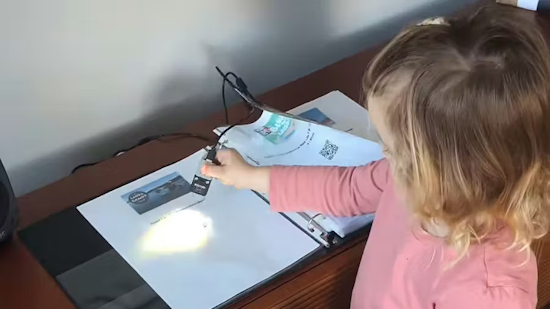
Guy Dupont designed a system to provide a three-year-old with limited access to the streaming service. The setup turns curated videos into printed codes. It uses an M5Stack Atomic QR code scanner linked to an Atom Light microcontroller host, programmed in MicroPython – Blog and YouTube. Via hackster.io.
Popular Last Week
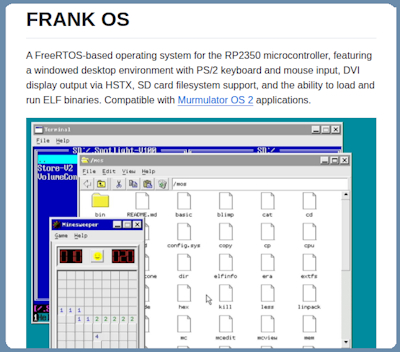
What was the most popular, most clicked link, in last week’s newsletter? A Real-Time Operating System for Raspberry Pi RP2350 Microcontrollers.
Did you know you can read past issues of this newsletter in the Adafruit Daily Archive? Check it out.
New Notes from Adafruit Playground
Adafruit Playground is a new place for the community to post their projects and other making tips/tricks/techniques. Ad-free, it’s an easy way to publish your work in a safe space for free.
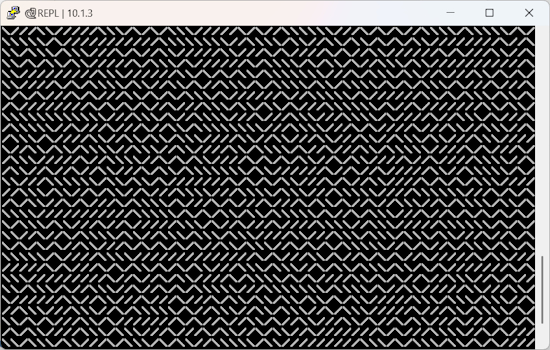
Can You Write a One Line CircuitPython Program to Create a Maze? – Adafruit Playground. Via BlueSky.
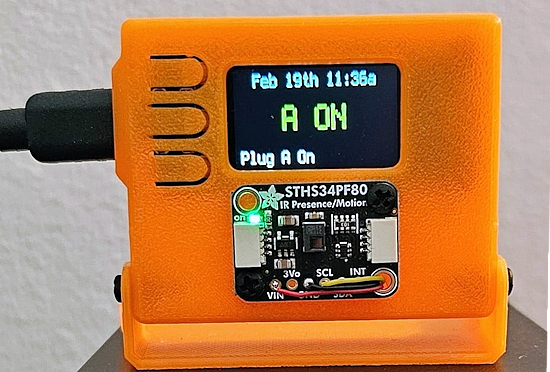
IR-Motion Sensor for Govee Smart Plug – Adafruit Playground.
News From Around the Web
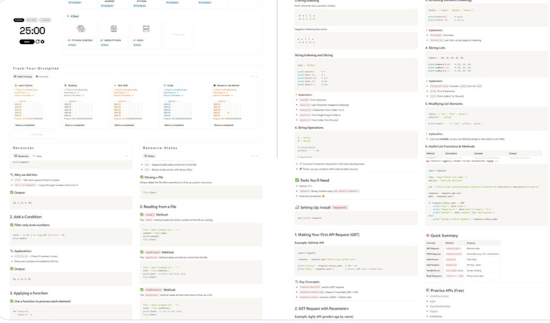
A good Python cheat sheet – X.
Bonus: Python Libraries for AI and Machine Learning cheat sheet for beginners – X.

TVArgenta is a retro TV that revives the magic of the 90s. Using a Raspberry Pi 4, a display and custom 3D retro-television case, the project plays programs, 90’s commercials, and shares a bit of the Argentine culture, all using Python – RSFlightronics, YouTube, and GitHub. Via Raspberry Pi News

How to install Python on your system: a guide for mac, Windows, and Linux – Real Python.
Properly Installing Python from The Hitchhiker’s Guide to Python – python-guide.org.
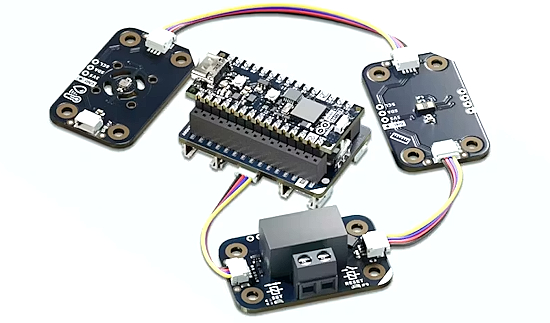
Arduino says Matter education matters. They launch an Arduino Matter Discovery Bundle – hackster.io and Arduino Store.
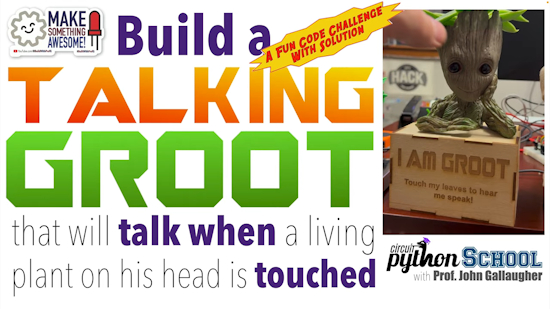
Build a Talking Baby Groot – A Maker Code Challenge/Solution (CircuitPython School) – YouTube.
The Python Software Foundation (PSF) is hiring a full-time Infrastructure Engineer, reporting to the PSF’s Director of Engineering to maintain the infrastructure that runs PyPI, python.org, docs.python.org, mail.python.org, and the services that support PyCon US – PSF Blog.
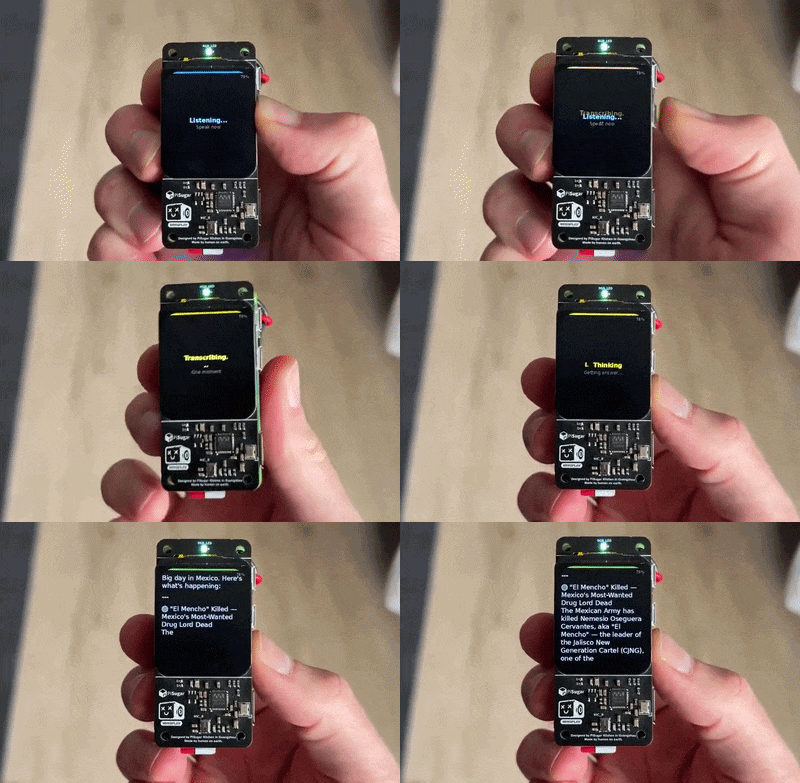
A pocket-sized AI assistant with OpenClaw on Raspberry Pi Zero 2W and Python. Push-to-talk → OpenAI transcription → OpenClaw on VPS → streaming text on tiny LCD (+TTS) – GitHub and X.
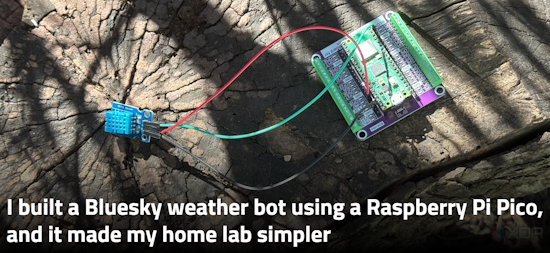
A BlueSky weather bot, using a Raspberry Pi Pico W and MicroPython, makes a home lab simpler – XDA and GitHub.

Microsoft’s new Python Environments Extension for VS Code is in general availability – Microsoft Dev Blogs.
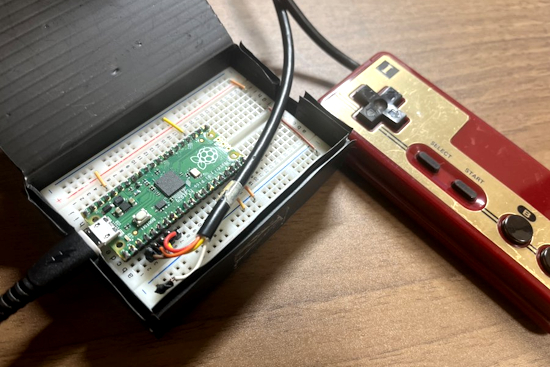
A Famicom controller used as a mouse and keyboard on a PC, using a Raspberry Pi Pico and CircuitPython – X.
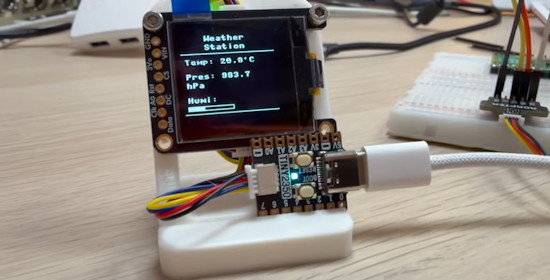
Adding an OLED Display with MicroPython – YouTube.
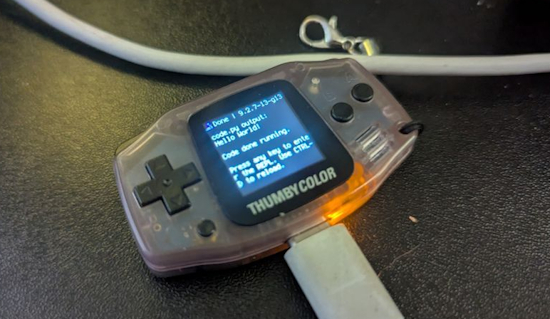
First boot of CircuitPython on the Thumby Color – BlueSky.

The Claude for Open Source Program provides open-source maintainers and contributors with 6 months of free Claude Max 20x, though the requirements are quite high – Claude. Via X.
Build an AI agent from scratch in Python – YouTube and GitHub.
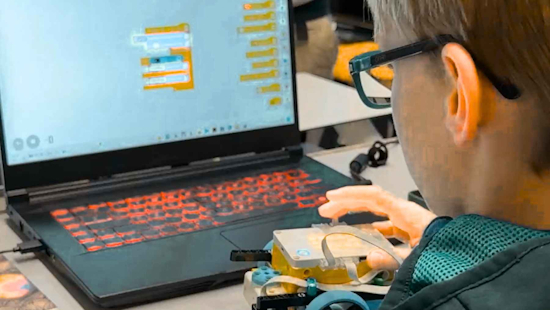
A 10-year-old boy from Rostock is programming his own browser in Python – EcoNews.
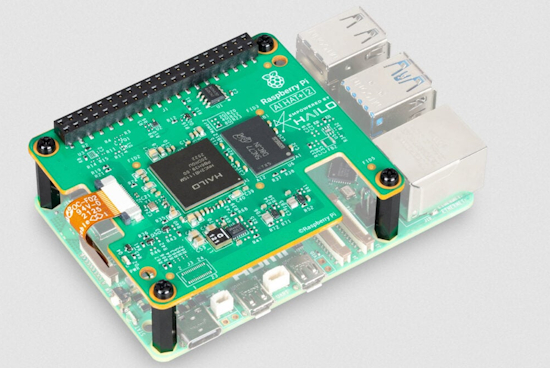
When and why you might need the Raspberry Pi AI HAT+ 2 – Raspberry Pi News.
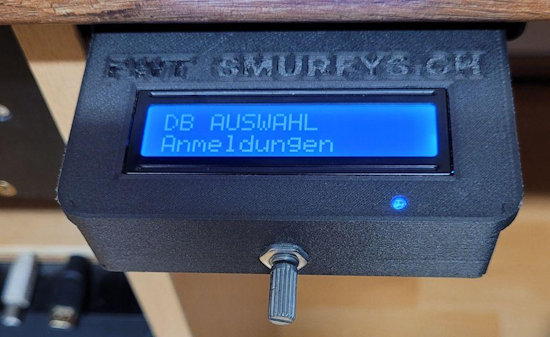
A password safe and keyboard injector, version 5.0 with Raspberry Pi Pico and CircuitPython – Instructables.
New
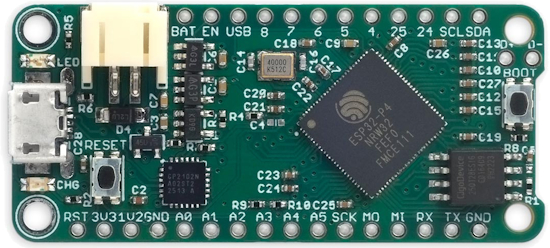
David Johnson-Davies, aka Technoblogy, has designed an ESP32-P4 board in the Feather format. The ESP32-P4 is a dual-core RISC-V processor running at up to 400MHz, with 768KB of on-chip SRAM, 32Mbytes of on-chip PSRAM, and up to 32Mbytes of external flash – Technoblogy, GitHub, and OSHpark. Via Hackster.io.
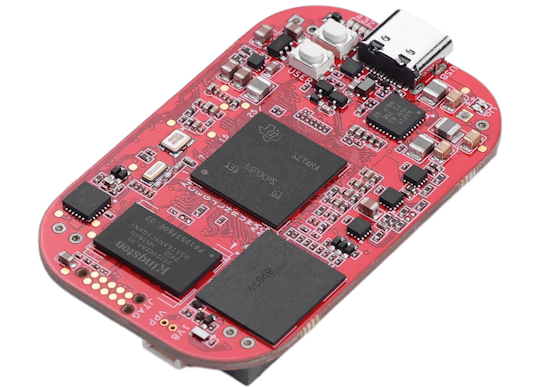
The PocketBeagle 2 Industrial is an update to the PocketBeagle 2 Rev A1 SBC featuring 1GB DDR4 RAM, a 64GB eMMC flash, and industrial temperature range support. The original board only comes with 512MB DDR4 memory, an eMMC flash footprint (unpopulated), and commercial temperature range support – CNX.
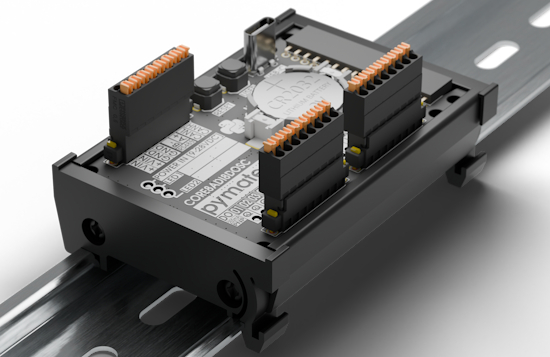
PyMateIO Core is a new industrial controller powered by MicroPython – pymate.io. Via X.
New Boards Supported by CircuitPython
The number of supported microcontrollers and Single Board Computers (SBC) grows every week. This section outlines which boards have been included in CircuitPython or added to CircuitPython.org.
This week there were no new boards added.
Note: For non-Adafruit boards, please use the support forums of the board manufacturer for assistance, as Adafruit does not have the hardware to assist in troubleshooting.
Looking to add a new board to CircuitPython? It’s highly encouraged! Adafruit has four guides to help you do so:
New Adafruit Learning System Guides
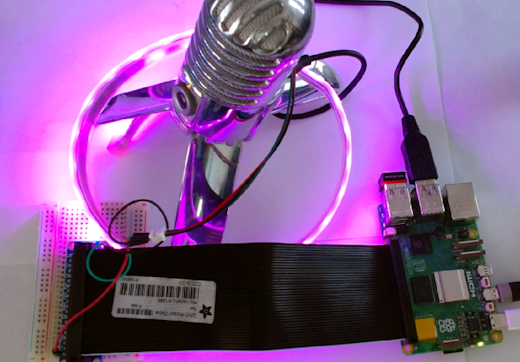
The Adafruit Learning System has over 3,200 free guides for learning skills and building projects including using Python.
Moonshine Voice Control on Raspberry Pi from Tim C
LED Shoji Lamp from Ruiz Brothers
CircuitPython Libraries

The CircuitPython library numbers are continually increasing, while existing ones continue to be updated. Here we provide library numbers and updates!
To get the latest Adafruit libraries, download the Adafruit CircuitPython Library Bundle. To get the latest community contributed libraries, download the CircuitPython Community Bundle.
If you’d like to contribute to the CircuitPython project on the Python side of things, the libraries are a great place to start. Check out the CircuitPython.org Contributing page. If you’re interested in reviewing, check out Open Pull Requests. If you’d like to contribute code or documentation, check out Open Issues. We have a guide on contributing to CircuitPython with Git and GitHub, and you can find us in the #help-with-circuitpython and #circuitpython-dev channels on the Adafruit Discord.
You can check out this list of all the Adafruit CircuitPython libraries and drivers available.
The current number of CircuitPython libraries is 556!
New Libraries
Here are this week’s new CircuitPython libraries:
Updated Libraries
Here are this week’s updated CircuitPython libraries:
What’s the CircuitPython team up to this week?
What is the team up to this week? Let’s check in:
Dan
I released CircuitPython 10.1.3 on February 20. It includes a fix that auto-detects the different kinds of displays on all MagTag boards, and another that prevents crashes on Qualia boards.
Since then, I fixed a pin-reset problem that caused some Espressif TFT Feathers not to show the display after the second boot. And I’m working on one more fix to prevent crashes when using SD cards presented to USB and displays simultaneously.
Tim
The new Bluefruit Connect V4 Android app play store listing is now live. I also finished the Moonshine voice control on Raspberry Pi guide and it is now published. Aside from those, I’ve been looking into font anti-aliasing support with lvfont files. The lvgl font converter supports 1, 2, 4, and 8 bits per pixel when converting fonts. Up to now we’ve always used 1 bpp fonts for CircuitPython. I’ve made some tweaks in the Bitmap Font and Display Text libraries to allow higher bit depth fonts to be able to render and I am looking into the core lvfontio module next to support anti-aliased fonts for the serial console terminalio instance shown by default on devices with displays attached.
Scott
This week I merged in Zephyr BLE scanning and advertising support. I also merged in host networking support so our native_sim tests can test the web workflow. I’ve got a few things getting close too: GPIO input, rotaryio, display support and BLE central support. I updated the ESP-IDF to 5.5.3 but it seems to have broken ESPs on absolute latest. I will fix it shortly.
Liz
I was out of a portion of the previous week sick. Coming back this week, I finally able to wrap up the MIDI Breath Control Learn Guide. This project uses a BMP585 ported pressure sensor with an attached tube to send MIDI CC messages. It was fun experimenting with different CC message types to see which ones were most effective with breath control. There aren’t a ton of examples of breath control with MIDI, so I hope that this inspires some new project types.
Upcoming Events

Embedded World returns March 10 – 12, 2026 to Nuremburg, Germany – Embedded World.

PyCascades 2026 will be 20 March 2026 – 21 March 2026 in Vancouver, British Columbia, Canada – PyCascades 2026.

The next MicroPython Meetup in Melbourne will be on March 25th – Luma. You can see recordings of previous meetings on YouTube.
Other Events This Year
- PyCon DE & PyData 2026 will be 13 April 2026 – 17 April 2026 in Darmstadt, Germany
- The Open Source Hardware Association Open Hardware Summit is coming to Berlin, Germany on May 23rd and 24th, 2026.
- EuroPython 2026 is coming to Kraków, Poland 13-19 July, 2026.
- PyOhio 2026 is from 25 July through 26 July, 2026 this year in Cleveland, USA.
- PyCon AU 2026 will be 26 Aug. 2026 – 30 Aug. 2026 in Brisbane, Australia
If you know of virtual events or upcoming events, please let us know via email to cpnews(at)adafruit(dot)com.
Latest Releases
CircuitPython’s stable release is 10.1.3 and its unstable release is 10.1.0-beta.1. New to CircuitPython? Start with our Welcome to CircuitPython Guide.
20260226 is the latest Adafruit CircuitPython library bundle.
20260226 is the latest CircuitPython Community library bundle.
v1.27.0 is the latest MicroPython release. Documentation for it is here.
3.14.3 is the latest Python release. The latest pre-release version is 3.15.0a6.
4,477 Stars Like CircuitPython? Star it on GitHub!
Call for Help – Translating CircuitPython is now easier than ever
One important feature of CircuitPython is translated control and error messages. With the help of fellow open source project Weblate, we’re making it even easier to add or improve translations.
Sign in with an existing account such as GitHub, Google or Facebook and start contributing through a simple web interface. No forks or pull requests needed! As always, if you run into trouble join us on Discord, we’re here to help.
39,134 Thanks


The Adafruit Discord community, where we do all our CircuitPython development in the open, reached over 39,134 humans – thank you! Adafruit believes Discord offers a unique way for Python on hardware folks to connect. Join today at https://adafru.it/discord.
ICYMI – In case you missed it

Python on hardware is the Adafruit Python video-newsletter-podcast! The news comes from the Python community, Discord, Adafruit communities and more and is broadcast on ASK an ENGINEER Wednesdays. The complete Python on Hardware weekly videocast playlist is here. The video podcast is on iTunes, YouTube, Instagram), and XML.
The weekly community chat on Adafruit Discord server CircuitPython channel – Audio / Podcast edition – Audio from the Discord chat space for CircuitPython, meetings are usually Mondays at 2pm ET, this is the audio version on iTunes, Pocket Casts, Spotify, and XML feed.
Contribute
The CircuitPython Weekly Newsletter is a CircuitPython community-run newsletter emailed every Monday. To contribute your content, please email your news to cpnews (at) adafruit (dot) com with information and link(s) to your content.
Join the Adafruit Discord or post to the forum if you have questions.
